
As mission critical engineers, we are often asked to explain redundancy. It drives availability, reliability, maintainability and total cost of ownership, and it is usually decided early. Terms like “distributed redundancy,” “3 to make 2” and “catcher systems” have muddied the waters. AI has added more: racks at 140 kW, and GPU clusters whose power draw swings in step.
Two terms first
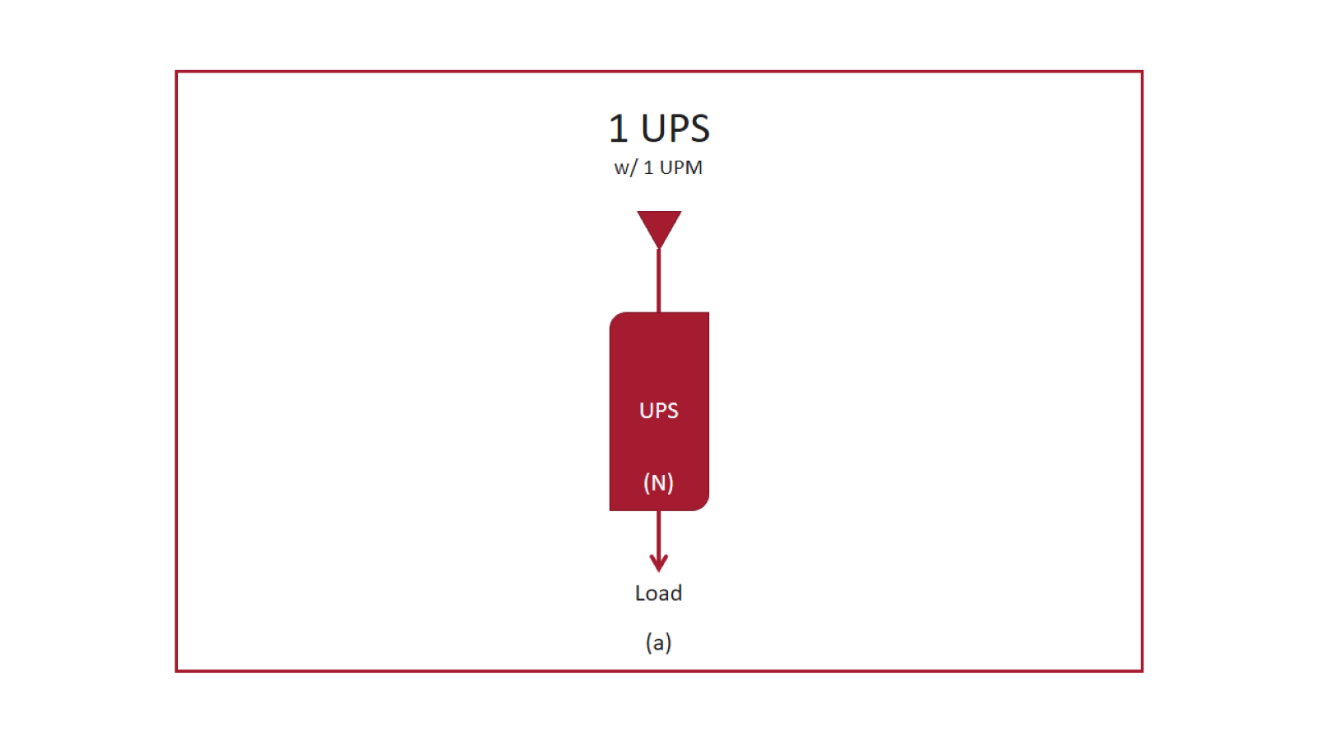
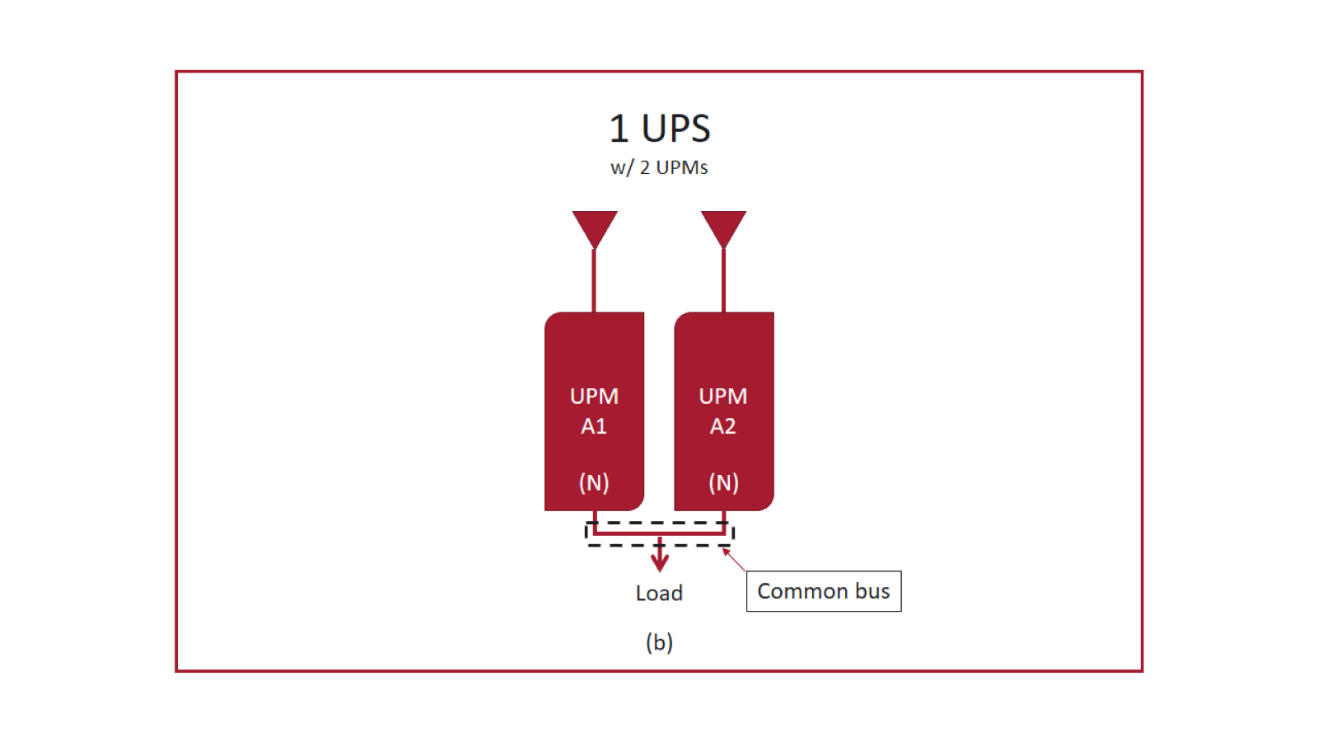
- UPS module (UPM). A single UPS unit. It can stand alone or be paralleled with other modules on a common output bus with shared controls, for capacity or redundancy.
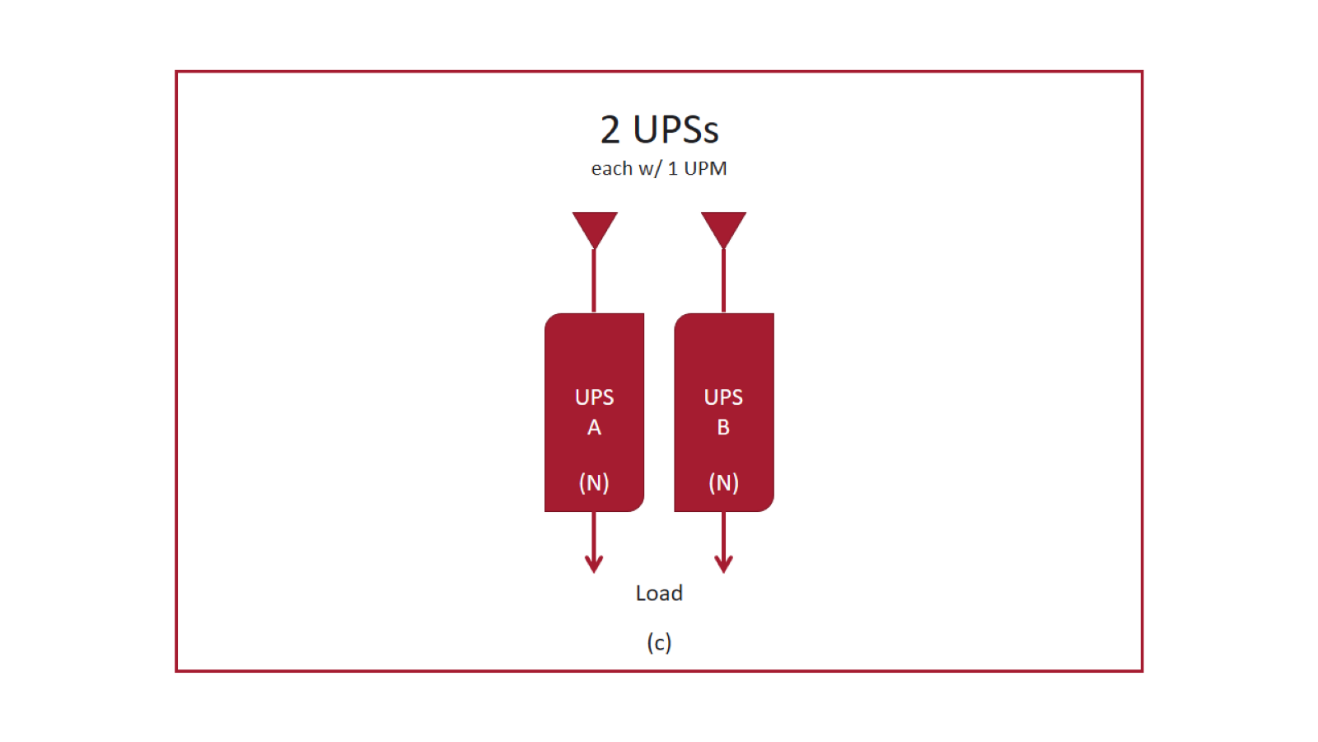
- UPS system. One module, or several paralleled modules on a common output bus. Separate UPS systems share neither output buses nor controls. Systems are often labeled A, B and so on; modules within system A are A1, A2. Figure (a) shows a single module, (b) two modules on a common bus and (c) two separate systems.
The common topologies
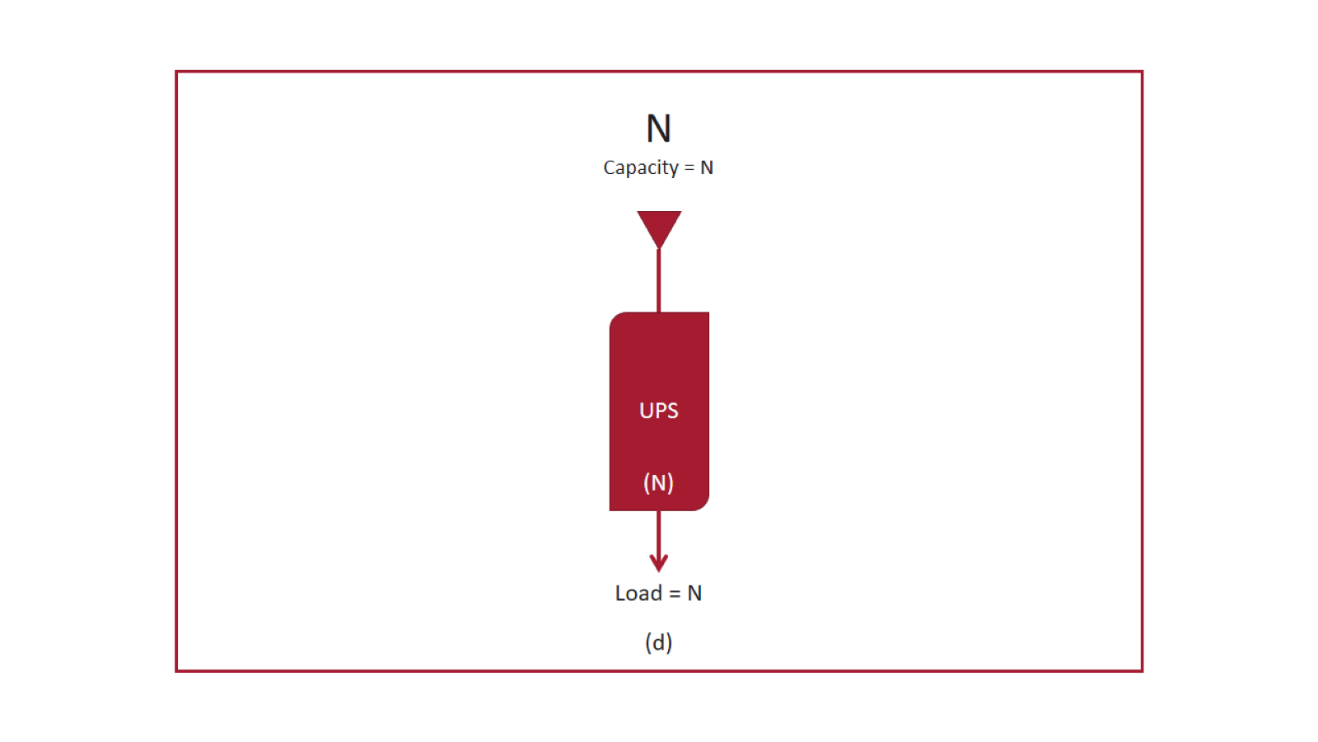
N: non-redundant
A single UPS system bridges the gap between a utility failure and the generator taking the load (Figure d). It protects against outages, sags and swells, and little more. If the UPS fails, the load drops.
N+1: module redundancy
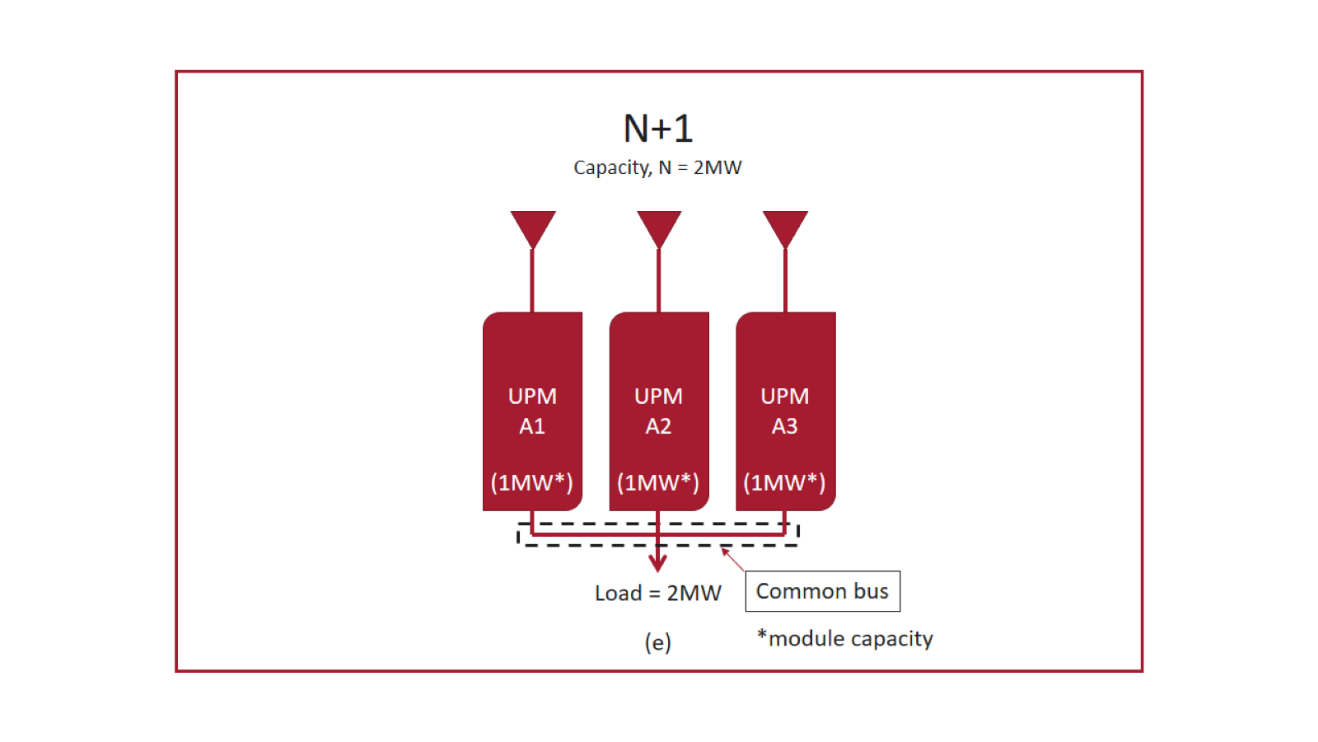
One UPS system with one more module than the load needs (Figure e). Lose a module and the others carry the load. The system's capacity is set by the output bus rating, not the sum of the modules, and operators must keep the load at or below N. The output bus and shared controls remain single points of failure.
2N: system redundancy
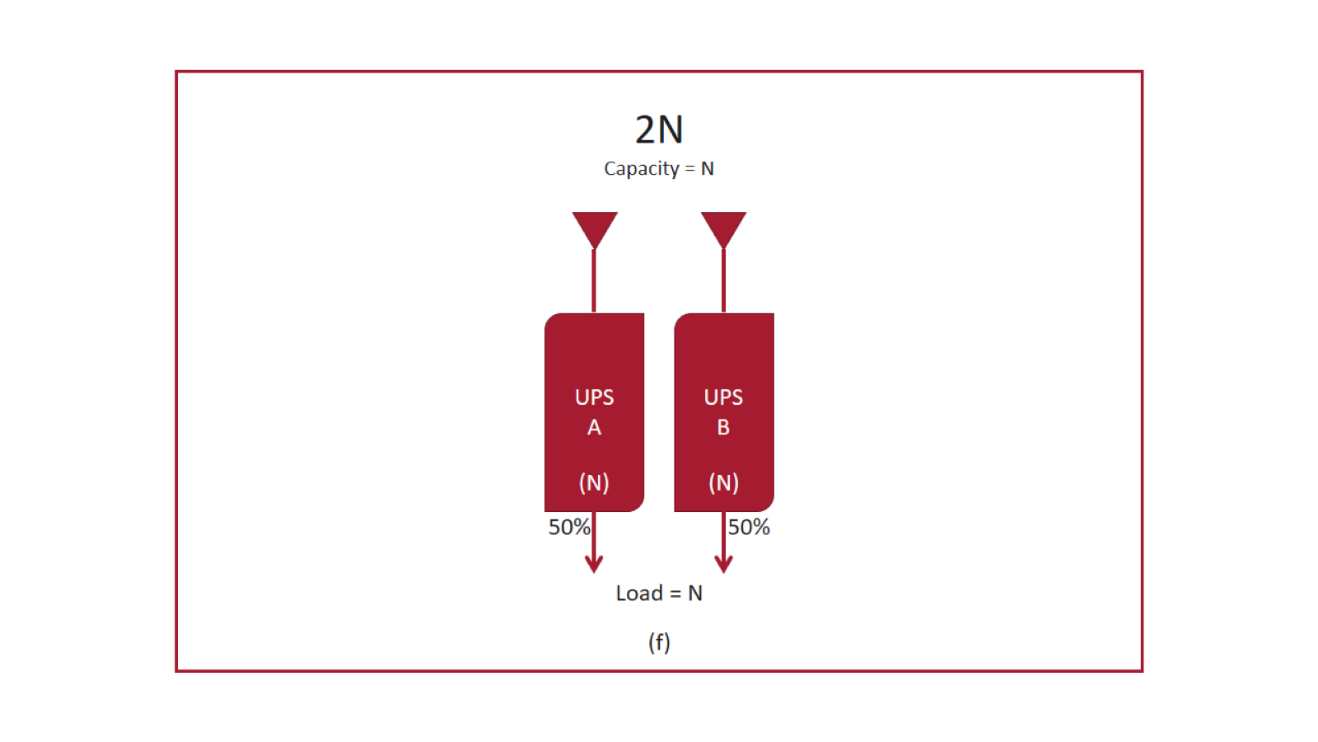
Two independent UPS systems, each able to carry the full load, feeding dual-corded IT equipment (Figure f). If one fails, the IT power supplies or automatic transfer switches shift the load to the other. It is simple, reliable and easy to manage, and it has been the standard since dual-corded equipment became common.
2N+1: redundant systems with redundant modules
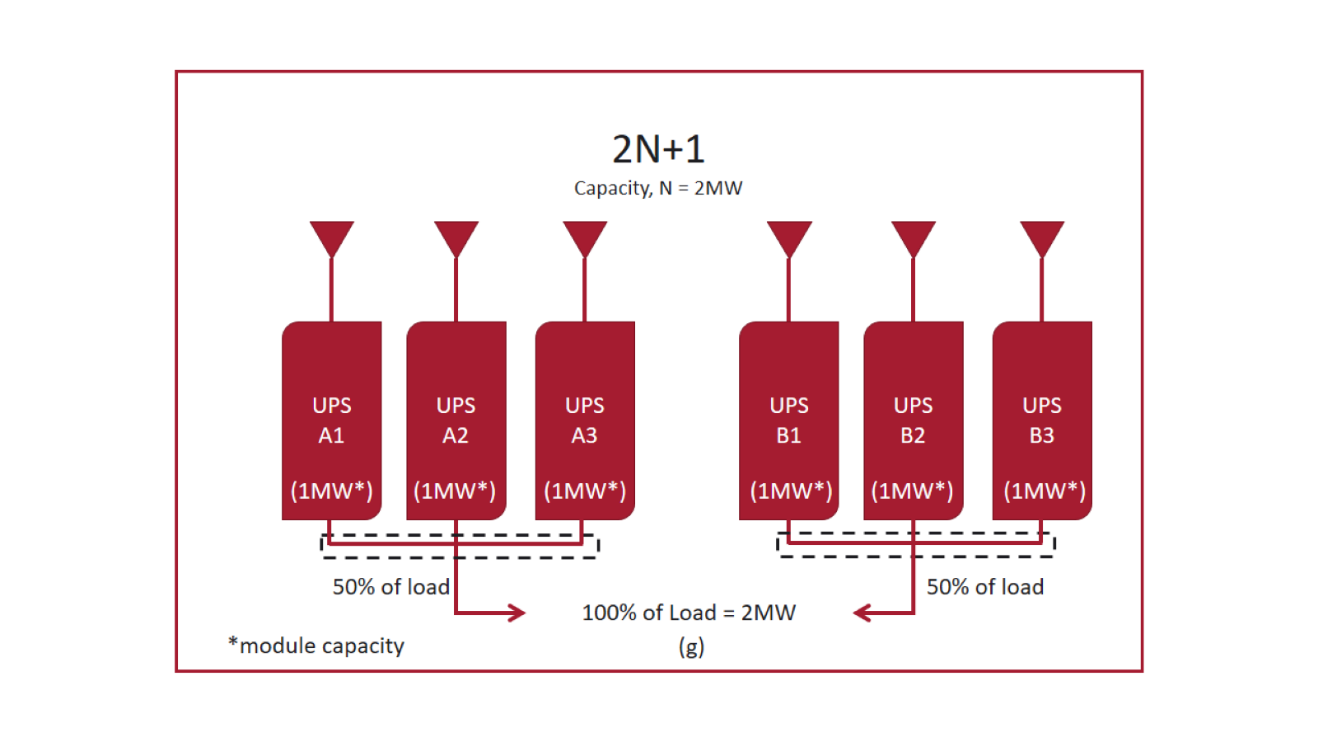
Two N+1 systems (Figure g). The design survives the loss of an entire system plus a module. It is the most robust and the most expensive: 6 MW of modules to deliver 2 MW of redundant capacity.
Distributed redundant: 3 to make 2, 4 to make 3
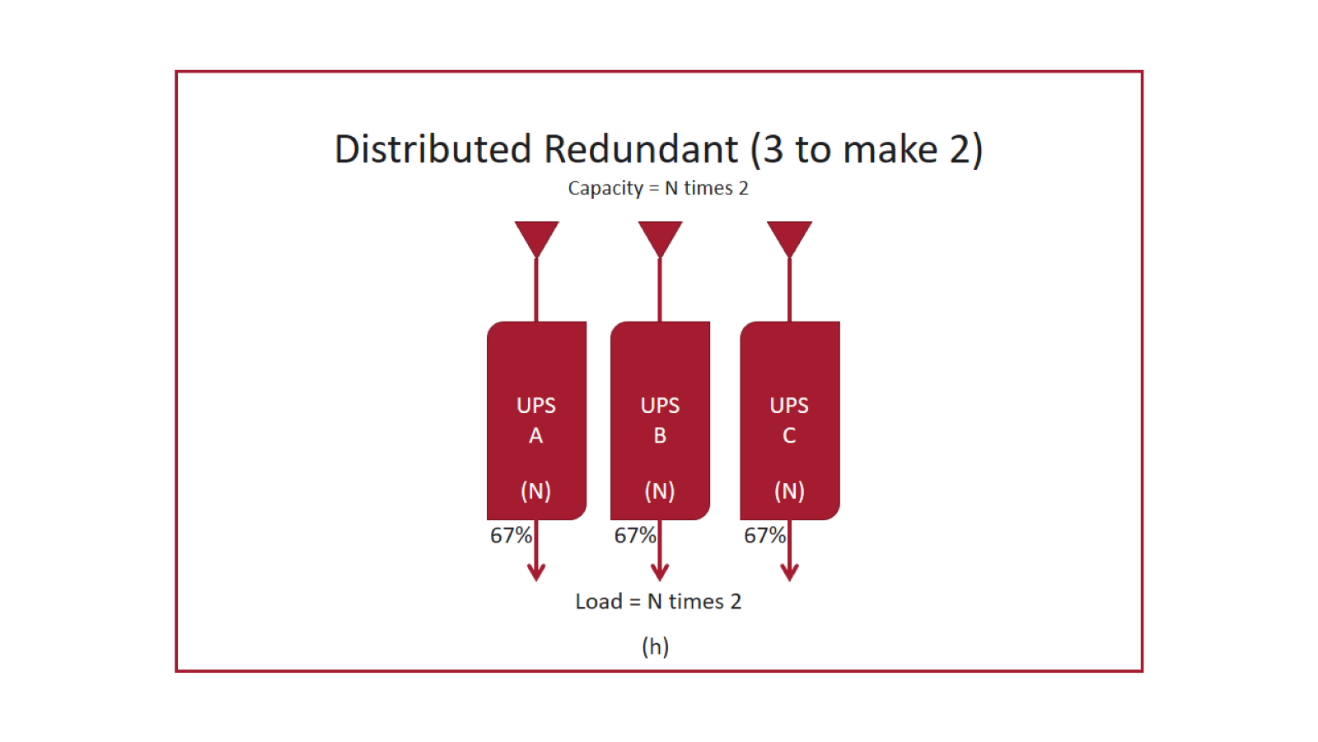
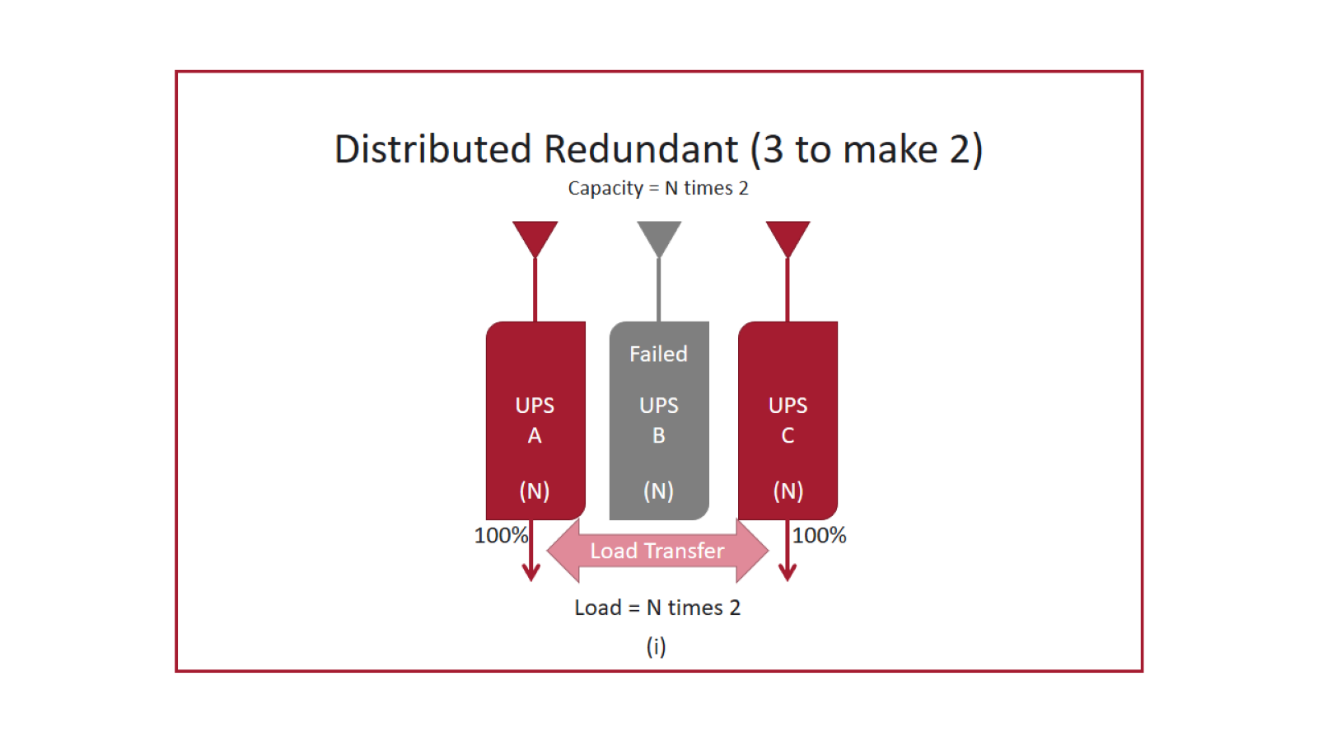
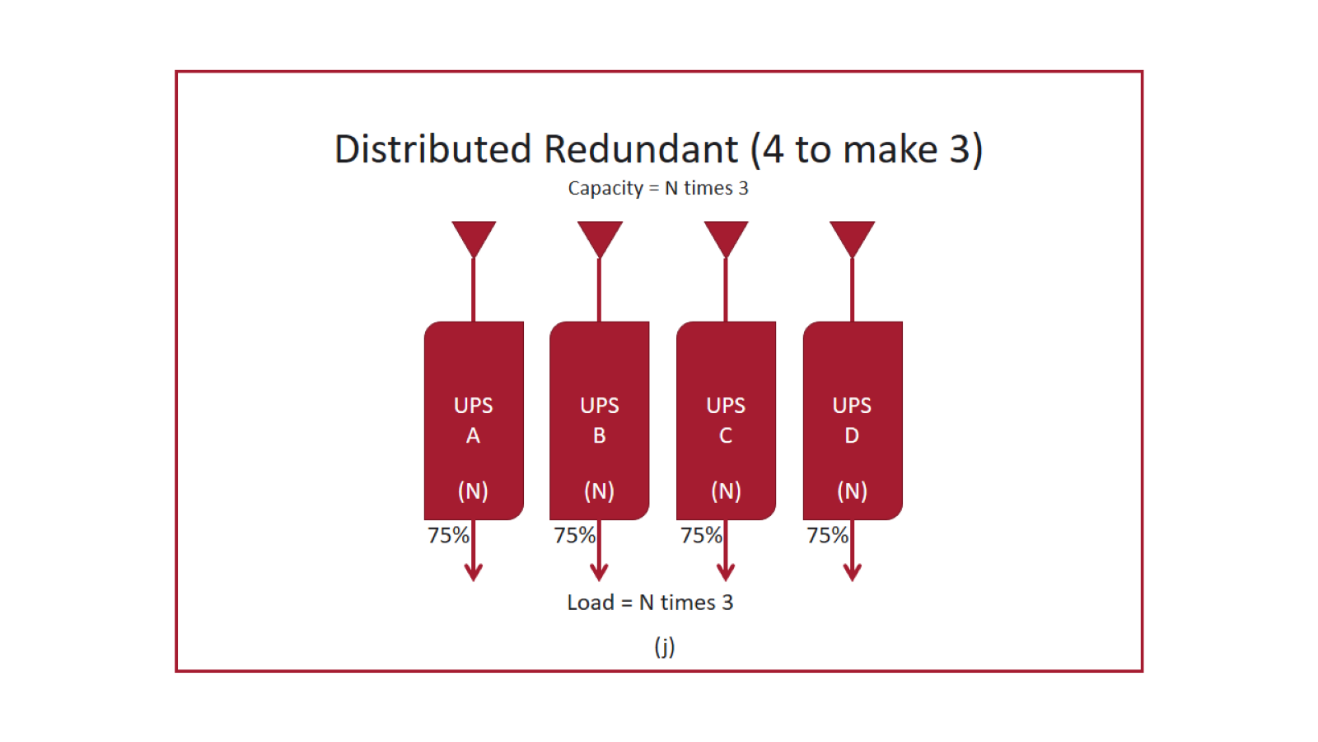
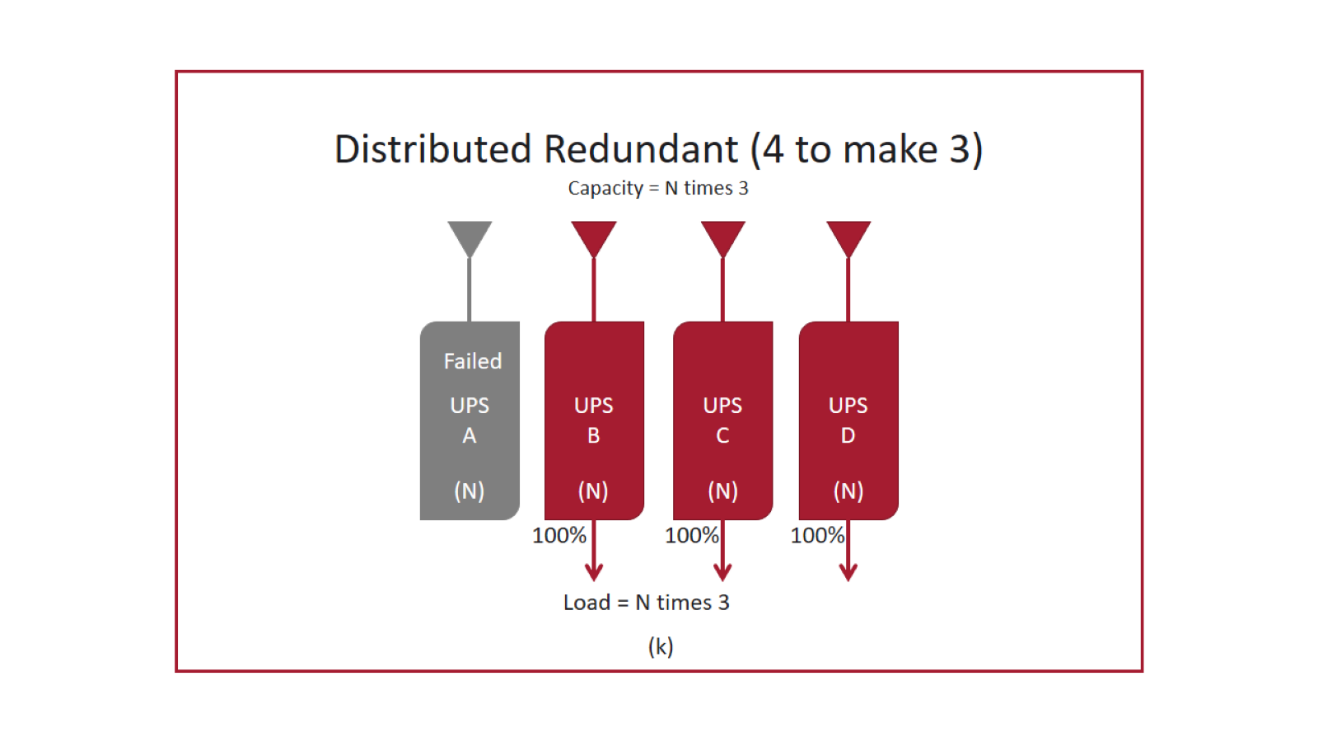
Three systems deliver the capacity of two, each loaded to about two thirds (Figure h); if any one fails, the other two absorb its load (Figure i). Four to make three, popular in colocation, loads each system to 75% (Figure j); lose one and the other three run at 100% (Figure k). FEA commissioned its first distributed redundant design in 2007. The approach keeps system-level redundancy at higher utilization, but it depends on disciplined load assignment: if loads are not mapped correctly, losing one system can overload another. We don't recommend going beyond 4 to make 3; the complexity grows faster than the savings.
Block redundant (“catcher”)
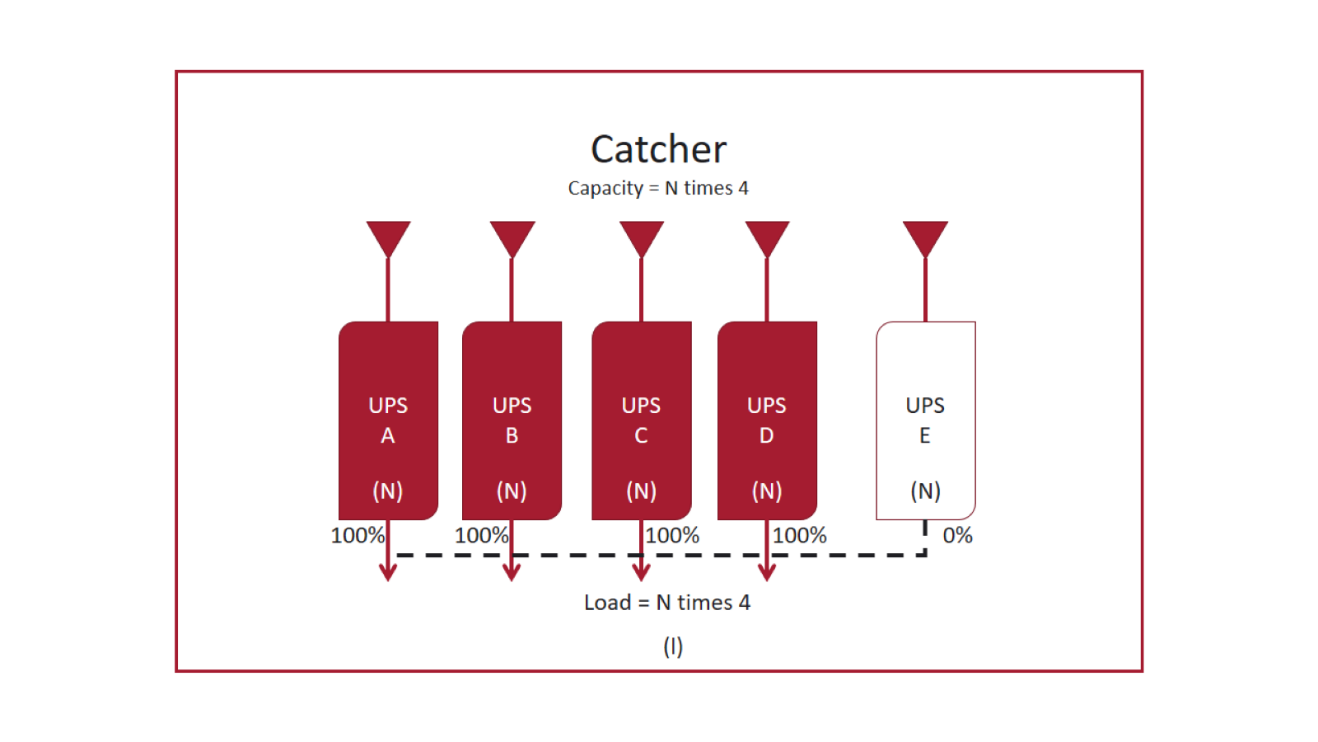
Several active systems share one reserve system that runs online and unloaded (Figure l). When an active system fails, its load transfers to the reserve, usually through static transfer switches. The reserve is typically sized to match one active system.
How they compare
| Topology | Example (2 MW critical load) | Installed UPS capacity | Module loading at full design load | Survives loss of a whole system |
|---|---|---|---|---|
| N | One 2 MW system | 2.0 MW | 100% | No |
| N+1 | One system, three 1 MW modules, 2 MW bus | 3.0 MW | 67% | No (survives a module) |
| 2N | Two 2 MW systems | 4.0 MW | 50% | Yes |
| 2N+1 | Two systems of three 1 MW modules, each on a 2 MW bus | 6.0 MW | 33% | Yes, plus a module |
| 3 to make 2 | Three 1 MW systems | 3.0 MW | 67% | Yes |
| 4 to make 3 | Four 667 kW systems | 2.67 MW | 75% | Yes |
| Block redundant | Four 500 kW active systems plus one 500 kW reserve | 2.5 MW | 100% active, reserve idle (80% overall) | Yes, one at a time |
Illustrative configurations. Real designs vary in module size and count. Figures assume 100% utilization; actual utilization typically runs 80 to 90%, depending on requirements.
Utilization: module, system and overall
Take the 2N+1 example. Each system can carry 2 MW but normally carries 1 MW, so system utilization is 50%. Each system's load is split across three modules, so each module carries about 333 kW, or 33%. Yet the overall design is 100% utilized: no more load can be added without losing the designed redundancy, even though every individual system and module has headroom.
Utilization matters for two reasons. Modules run more efficiently at higher loading, and the best use of capital is the design with the highest utilization that still meets the redundancy target. New facilities that fill slowly often run far below design for years, which is why we design for modular expansion.
What AI training loads change
Load swings
In AI training, thousands of GPUs run the same computation in lockstep, so a cluster's power can swing sharply between high and low states instead of averaging out. Uptime Institute has noted that large load steps strain UPS systems and can push them onto their energy storage to follow the load. In testing on a 2.4 MW generator with dual UPS systems, Vertiv found that once AI loads approached about 75% of the IT load, generator voltage and frequency could fall outside the UPS tolerance windows.
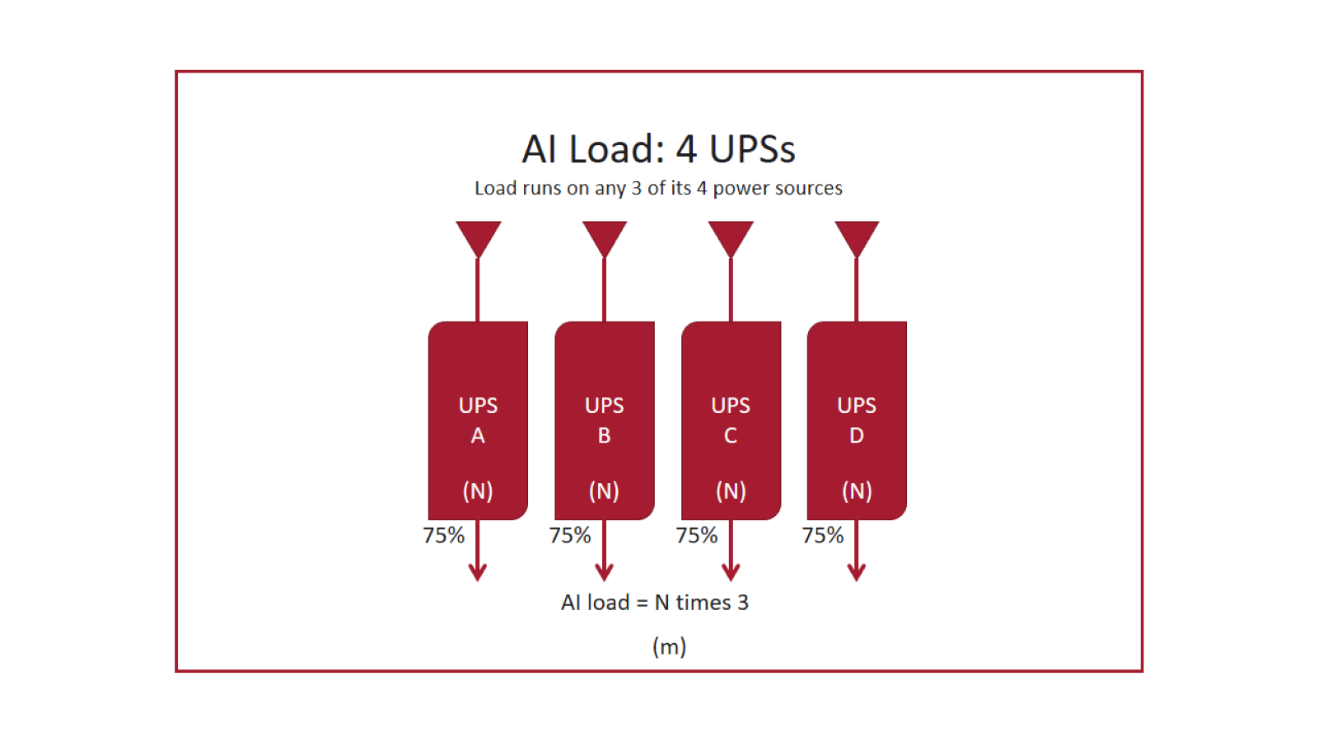
Hardware is starting to help. NVIDIA's GB300 NVL72 power shelves add energy storage and controlled ramp-up and ramp-down, and NVIDIA reports a 30% reduction in grid-facing peak power in its own testing. That smooths the profile but does not remove the need to design for it. The power demand requires 6 of 8 power shelves to be active, which lends itself to a 4 to make 3 architecture (Figure m).
Design implications
- Specify for the load profile, not just the kW. UPS step-load response, generator transient performance and UPS input tolerance windows have to be coordinated against the expected swings.
- Energy storage duty changes. Frequent shallow cycling favors batteries chosen for it; lithium-ion is now common in UPS for this and other reasons.
- Cooling moves onto the UPS. At 140 kW per rack, ride-through after a cooling failure is seconds, so CDU pumps and controls usually need uninterrupted power. That load belongs in the UPS sizing and redundancy plan.
- Granularity matters. A 1 MW pod may be only seven racks at 140 kW. In distributed redundant designs, each rack's A and B feed assignment has to be planned so a system failure cannot overload a survivor.
- Not every load needs the same redundancy. Training jobs can often checkpoint and restart; network, storage and cooling controls usually cannot. Matching redundancy to the load is a business decision that should be made explicitly, with the failure modes and costs on the table.
- Test what you designed for. Commissioning should include step-load and swing testing with load banks, plus integrated systems testing of UPS, generators and cooling together.
There is no single right answer
The right topology depends on the facility's operating and maintenance needs, uptime targets, risk tolerance, total cost of ownership and, increasingly, the type of workload it serves.